

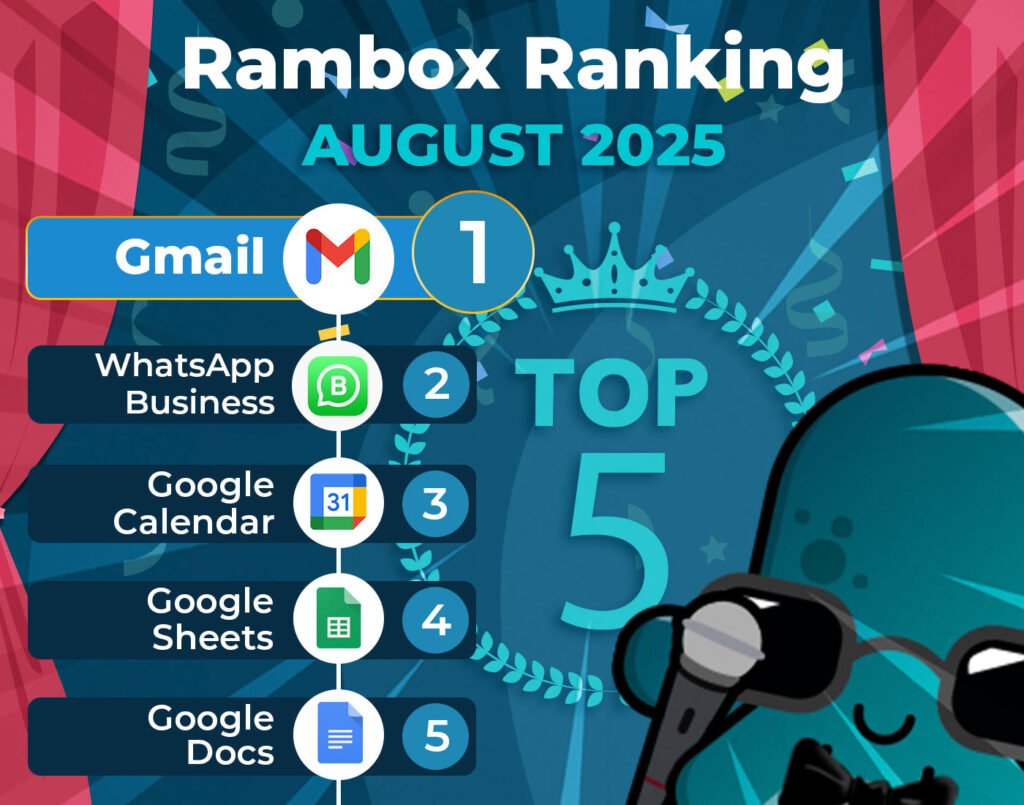
It’s time to unveil the power-packed lineup of August’s most-used apps on Unified Workspace – your favorite workspace simplifier.
Join us on this exploration, where we first dive into the top 15 most-used apps. Here, we’ll unearth a mix of personal and professional digital applications that are the pillars of our users’ digital workspaces.
But our journey doesn’t end there. Let’s take a closer look at how the Unified Workspace Ranking has evolved since last month, July.
Discover the latest trends and shifts in user preferences as we spotlight the newcomers who have made their mark in the top ranks and reveal our users’ new favorite apps.
Most-used apps on Unified Workspace in August
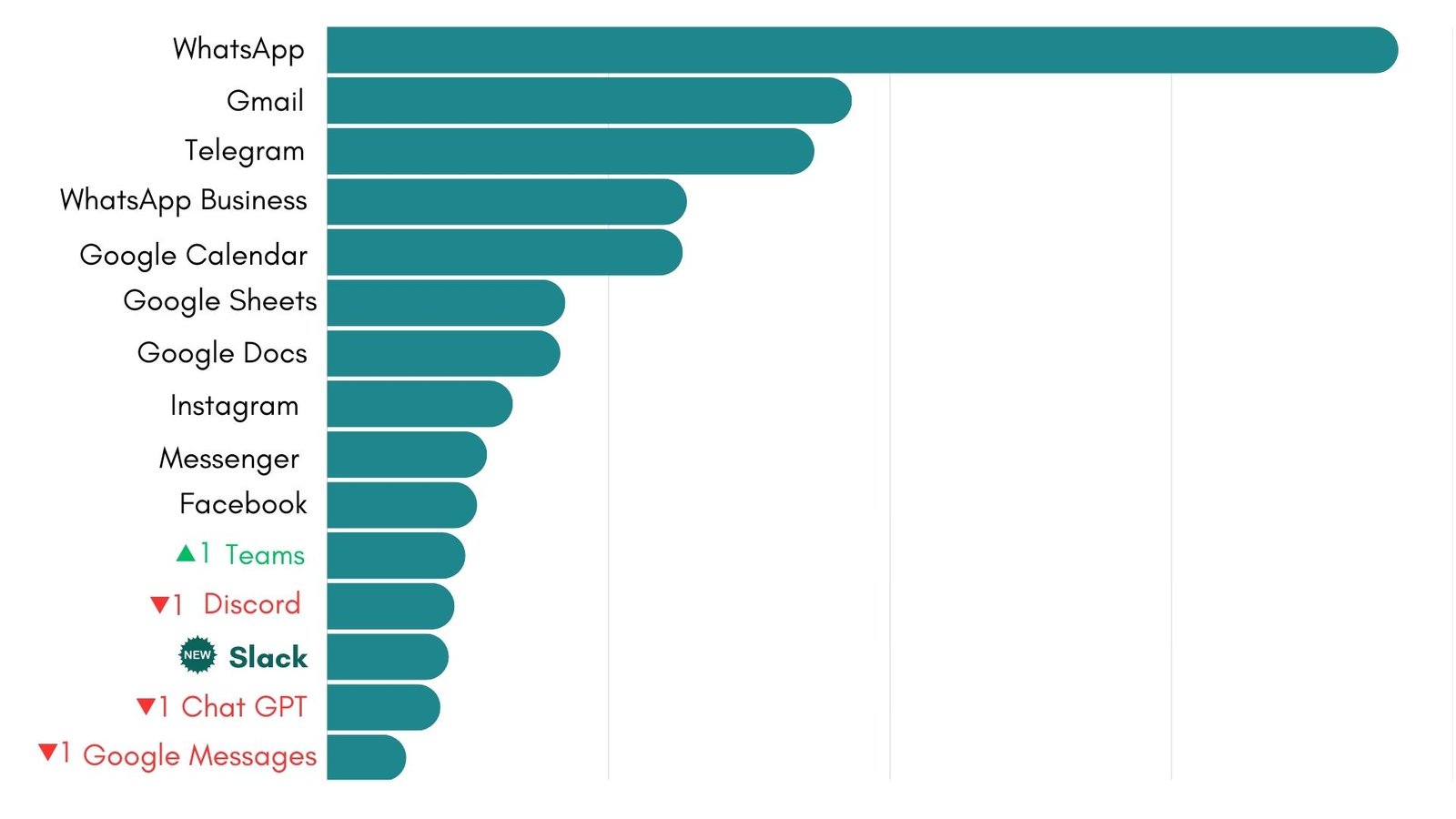
First, we present the top 15 apps most used by Unified Workspace users based on statistical and impersonal data.
These are the digital frontrunners that shaped our users’ workflows this month.
How has the Unified Workspace Ranking changed in the last month?
August kept the top of the Unified Workspace ranking steady, but brought a few interesting shake-ups further down the list. WhatsApp remains unbeatable at #1, with Gmail and Telegram holding strong in second and third place.
WhatsApp Business secured fourth place once again, followed by Google Calendar in fifth. Just like last month, Google Sheets and Google Docs continue to dominate the sixth and seventh spots, while Instagram kept its reliable #8 ranking.
Messenger and Facebook also stayed consistent in ninth and tenth place. The first real move came a little further down: Teams edged up one spot to #11, pushing Discord to twelfth.
The highlight of August’s ranking? Slack made its return at #13, entering the list for the first time since June. This comeback bumped ChatGPT down to fourteenth, while Google Messages slipped slightly to #15 after its climb in July.
Overall, August shows stability at the top but fresh competition in the lower ranks. With Slack back in the mix, it’ll be interesting to see if this returning contender can climb higher in the months ahead.
The apps on the rise: Team collaboration apps
As summer comes to an end, many users are switching back into work routines, which often means relying more on platforms that combine chat, file sharing, and video meetings in one place. While personal messaging apps like WhatsApp and Telegram continue to lead the way, workplace-focused tools are gaining traction.
Slack
Slack is one of the most versatile collaboration platforms out there. Its channel-based structure makes it easy to keep conversations organized by project, team, or topic. On top of that, it connects with hundreds of other tools—from Google Drive to project management apps—turning it into a true productivity hub.
Another reason behind its popularity is flexibility. Whether it’s quick one-on-one chats, group threads, or lightweight video calls, Slack adapts to different communication needs. Its return to the ranking in August lines up perfectly with the back-to-work season, as professionals look for smarter ways to centralize conversations without juggling multiple apps.
👉 If you’d like to dive deeper into everything this app offers, don’t miss our complete review of Slack.
Teams
Microsoft Teams also gained ground this month, climbing to #11. Its biggest strength is the seamless connection with Microsoft 365, making it easy to chat with colleagues, share files, and co-edit documents in real time. For many organizations, it’s the backbone of daily collaboration.
Beyond document sharing, Teams is also a top choice for meetings and webinars, handling everything from quick catch-ups to large-scale events. Its rise in August reflects how more professionals are turning to Unified Workspace to bring their collaboration apps under one roof, right next to their personal messaging tools.
👉 If you want to know which collaboration app best fits your needs and working style, don’t miss our review of these two giants: Slack vs Teams.
Which new apps could enter the ranking?
The Unified Workspace Ranking is never set in stone. Right below the top 15, there are always apps gaining momentum and waiting for their chance to break into the spotlight. In August, three of them stood out from the rest—each with a very different purpose (storage, entertainment, and productivity) but all showing the kind of growth that could put them in the ranking soon.
Google Drive
Google Drive is inching closer to the Unified Workspace Ranking, and it’s easy to see why. As the backbone of Google Workspace, Drive makes it simple to store, organize, and share files in the cloud. Whether it’s documents, spreadsheets, or presentations, everything stays accessible and synced across devices—exactly the kind of convenience Unified Workspace users value.
What sets Drive apart is how smoothly it integrates with other Google tools. Many of the apps already in the top 15—like Google Docs, Sheets, and Calendar—connect seamlessly with Drive, which makes it the natural hub for storing and managing content. With so many users relying on these apps every day, Drive’s growing presence in Unified Workspace feels almost inevitable.
If its upward trend continues, it wouldn’t be surprising to see Google Drive break into the top 15 in the coming months, joining its sibling apps that already dominate the ranking.
TikTok
TikTok has grown into one of the largest social networks in the world, especially dominant among younger generations. Its short-form videos and endless stream of trends have made it a daily habit for millions of users. What started as a platform for entertainment has now become a powerful space for discovery, creativity, and influence.
It’s no surprise that more and more businesses and brands are establishing their presence on TikTok. For social media professionals, the app has quickly turned into a must-have tool to manage campaigns, track trends, and engage with audiences. This growing adoption explains why TikTok is edging closer to Unified Workspace’s top 15.
Unlike many other platforms, TikTok doesn’t offer a dedicated desktop app. Unified Workspace changes that by letting you use TikTok as if it were a desktop application—no need to rely on web browsers or keep multiple tabs open.
Notion
Notion is quickly becoming one of the most popular productivity tools out there. It brings notes, tasks, wikis, and databases together in a single place, making it super flexible for all kinds of professional workflows. Whether you need a simple task list or a full project management setup, Notion lets you build it your way.
What makes it stand out is how easily it adapts to different work styles. Freelancers use it to stay on top of client projects, consultants organize their deliverables, and teams rely on it to keep knowledge and processes in one shared space. That flexibility is exactly why more Unified Workspace users are adding it to their daily toolkit.
If the trend continues, it wouldn’t be surprising to see Notion enter the Unified Workspace Ranking soon.
👉 If you’d like to discover everything this app can do, don’t miss our complete review of Notion.
Why use these apps in Unified Workspace?
Unified Workspace is the ideal tool for managing communication and collaboration apps, keeping you informed about messages and project updates without feeling overwhelmed.
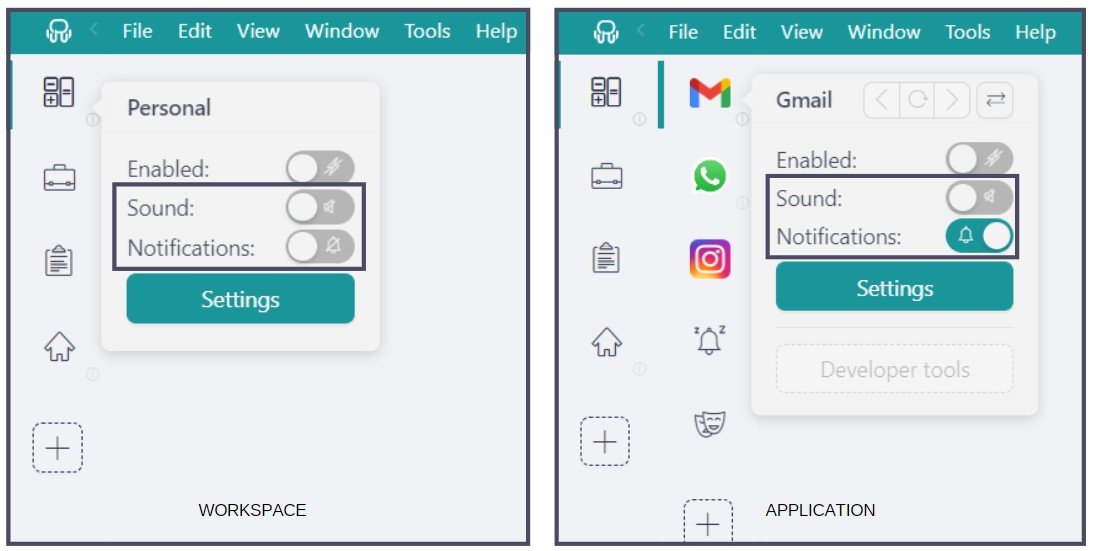
With Unified Workspace you have full control over notifications, allowing you to customize how and when you receive alerts. Whether you prefer audible notifications, no sound or turn them off completely, Unified Workspace ensures you stay focused on important tasks while minimizing distractions.
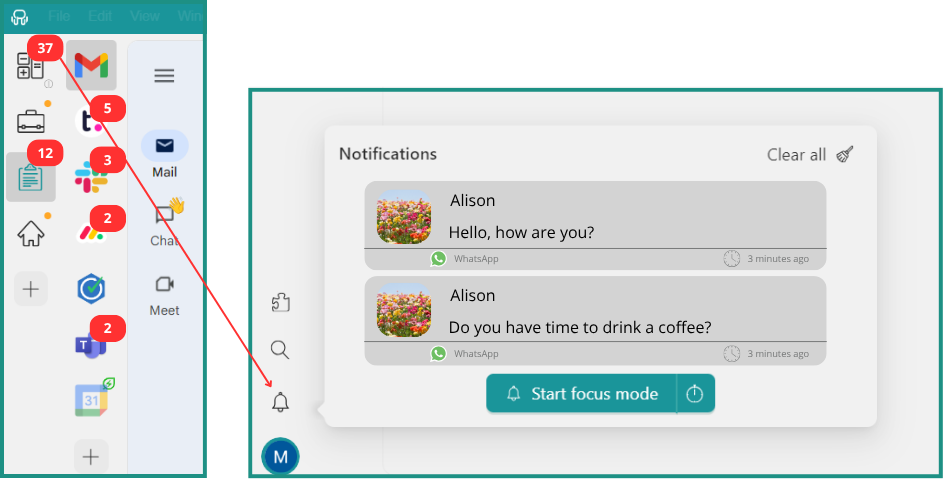
Plus, if you choose to turn off your notifications, the Notification Center serves as a centralized hub, ensuring that you never miss a critical message.
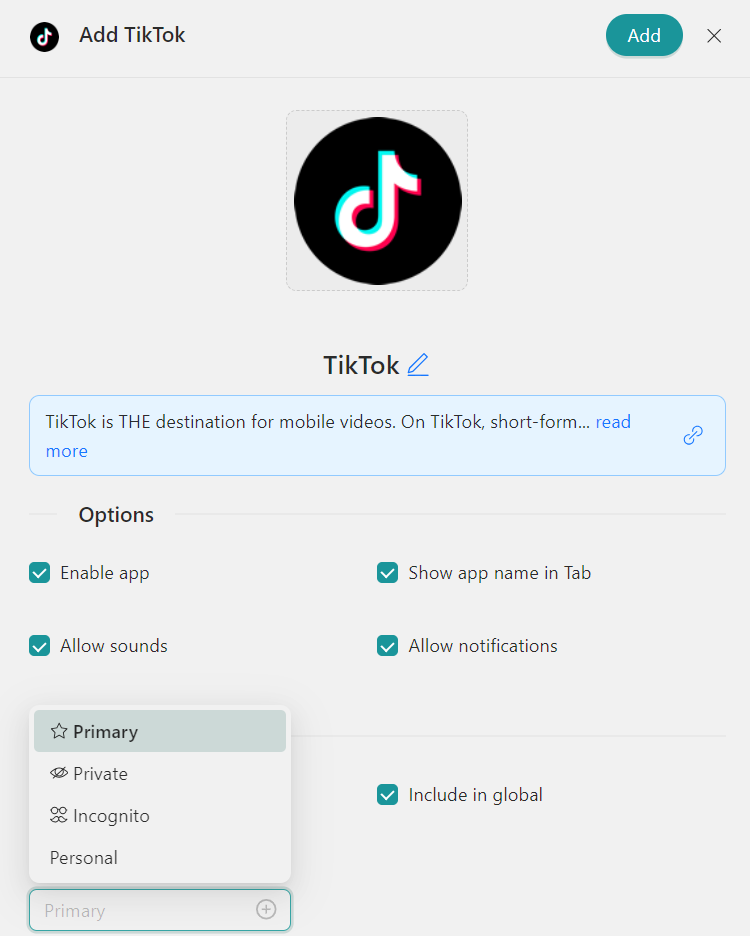
Each Profile in Unified Workspace functions as a dedicated session, providing organized management for, as an example, multiple TikTok accounts. Unified Workspace offers several key profiles tailored to different needs: “Primary” for default settings, “Inherit from Workspace” for nested items, “Private” for isolated sessions, “Incognito” for enhanced privacy without storing cookies, and “Custom Profiles” for personalized configurations.
How to add these apps on Unified Workspace?
Getting started with Unified Workspace to access these apps from your desktop is a breeze. Just follow these simple steps:
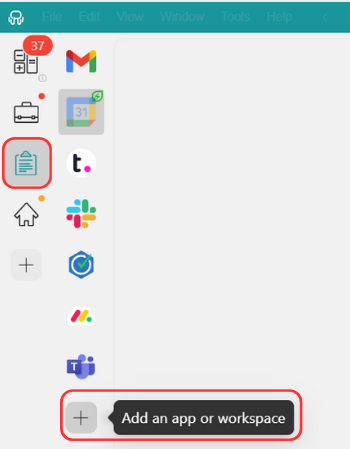
- Click on the “Add an app or workspace” button in your main tab or workspace.
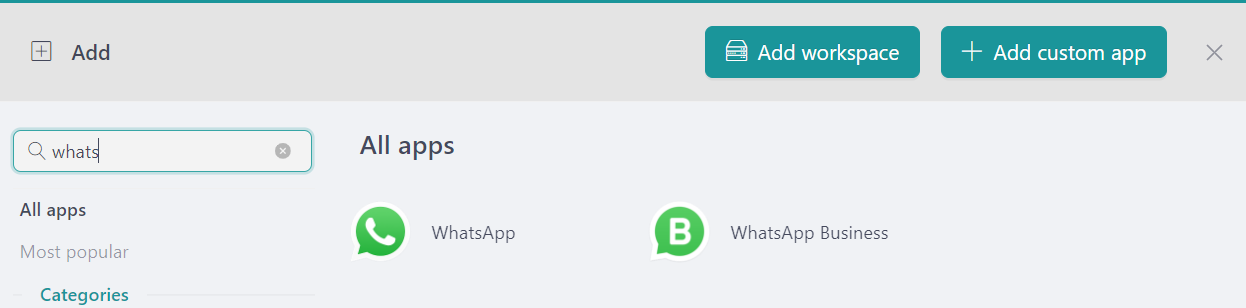
- Type the name of the app you want to add in the search panel at the left.
- Configure the application settings to your liking. Remember that you can choose which profile you want to use in the app (inherit from workspace, primary, private, incognito, or a custom profile).
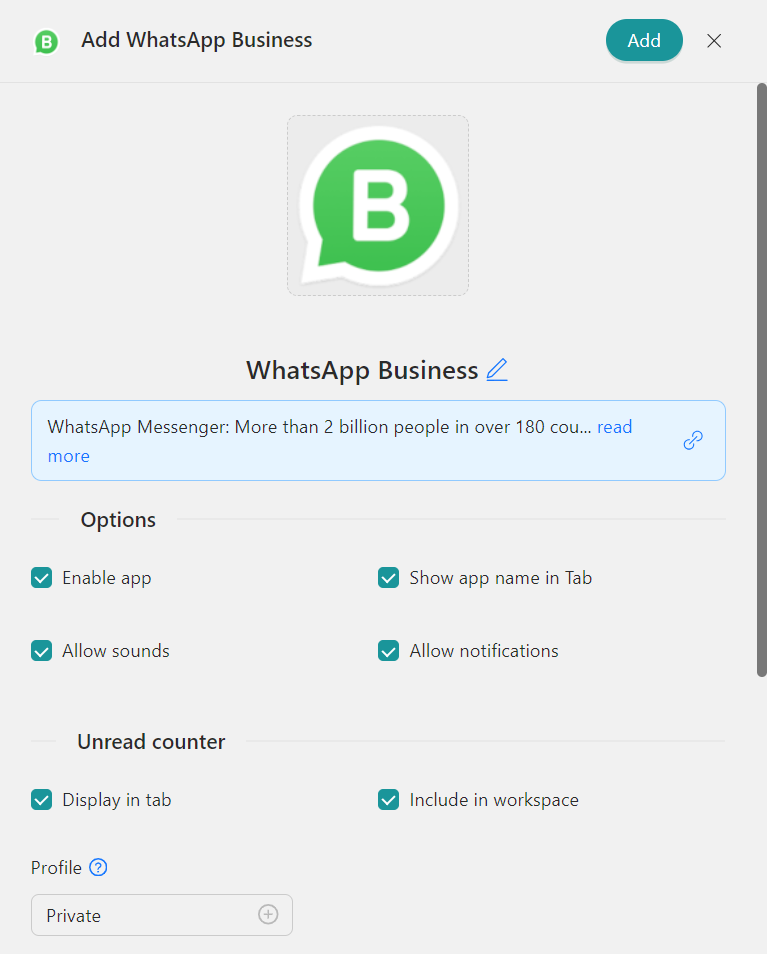
- Click on “+Add,” and that’s it! The app has been added to your Unified Workspace’s workspace!
If you are overwhelmed by the number of apps you have to manage, try Unified Workspace for free. All you have to do is download the program, configure it to your liking, and enjoy its functionalities. No cards, no cheating, it’s that simple!