

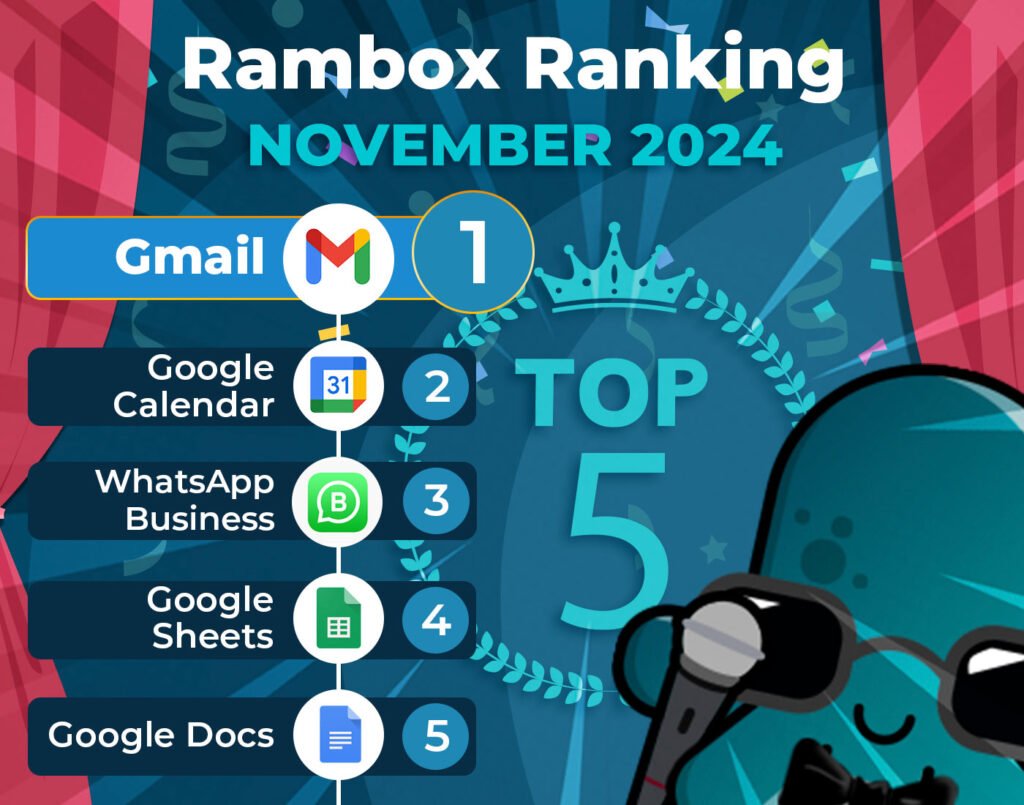
It’s time to unveil the power-packed lineup of November’s most-used apps on Unified Workspace – your favorite workspace simplifier.
Join us on this exploration, where we first dive into the top 15 most-used apps. Here, we’ll unearth a mix of personal and professional digital applications that are the pillars of our users’ digital workspaces.
But our journey doesn’t end there. Let’s take a closer look at how the Unified Workspace Ranking has evolved since last month, October.
Discover the latest trends and shifts in user preferences as we spotlight the newcomers who have made their mark in the top ranks and reveal our users’ new favorite apps.
Most-used apps on Unified Workspace in November
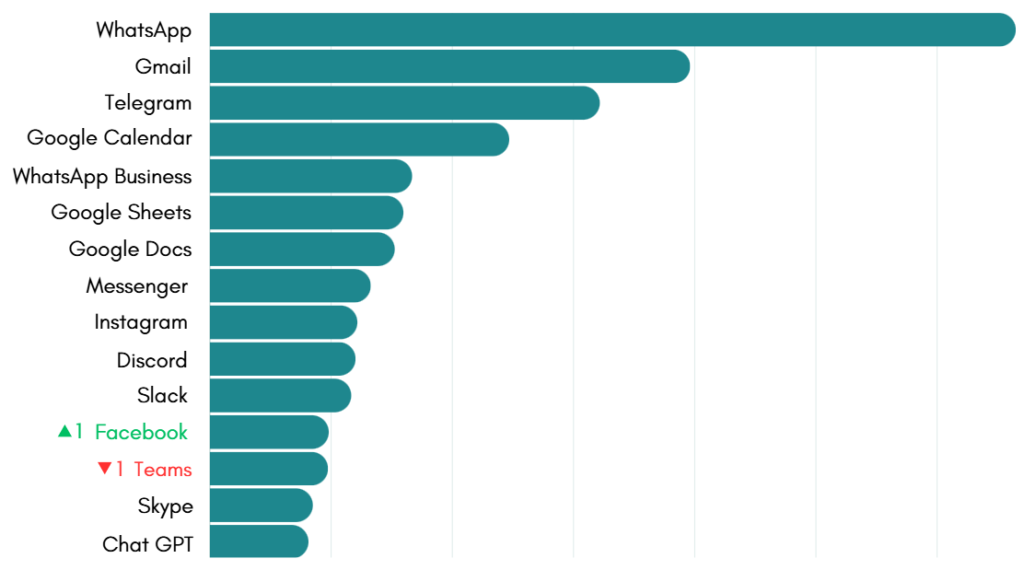
First, we present the top 15 apps most used by Unified Workspace users based on statistical and impersonal data.
This selection represents the digital frontrunners that have captured the spotlight in the diverse digital realms of our users.
How has the Unified Workspace Ranking changed in the last month?
This month’s Unified Workspace ranking is a testament to stability, with almost all apps holding their positions.
At the top, WhatsApp, Gmail, and Telegram remain firmly in first, second, and third place, respectively. These apps have cemented themselves as essential communication tools for Unified Workspace users.
The Google Office Suite apps also stayed steady, with Google Calendar in fourth, Google Sheets in sixth, and Google Docs in seventh place. It’s clear these productivity staples continue to play a key role.
Among social apps, Messenger, Instagram, and Discord all maintained their spots, reflecting stable usage patterns. WhatsApp Business and Slack also remained reliable choices, sticking to their respective positions.
The only noticeable shift was Facebook, which edged up one spot to twelfth, while Teams moved down to thirteenth. A minor change, but it highlights how user habits slightly fluctuate while overall preferences remain consistent.
The Steady Role of Social Media in the Unified Workspace Ranking
The rankings from recent months show us just how important social media apps are in the daily lives of many professionals.
Social media isn’t just for fun—it’s a game-changer for businesses! From building connections with customers to boosting your brand’s visibility, these apps offer endless opportunities. Let’s take a closer look at how some of the top platforms can help your business thrive.
Messenger: Quick and Easy Customer Connections
Messenger is a messaging app owned by Meta that allows businesses to communicate directly with customers. It’s an essential tool for providing fast and personalized support, handling inquiries, and keeping customers updated on your brand.
With features like automated replies, integration with Facebook pages, and easy access to customer conversations, Messenger makes it easier for businesses to build strong relationships. It’s a great way to provide instant support and engage with your audience on a personal level, all through a platform that’s already widely used.
Instagram: The Home of Visual Storytelling
Instagram, also owned by Meta, is the ultimate platform for businesses to showcase their brand through visuals. Known for its focus on photos and videos, Instagram is perfect for sharing engaging content like product highlights, behind-the-scenes looks, and customer stories.
With features like Stories, Reels, and Instagram Shopping, businesses can connect with their audience, promote products, and even drive sales—all in one place. Whether you’re a small business or a large brand, Instagram helps you tell your story in a creative and visually appealing way that captures attention and builds connections.
Facebook: Building Community and Trust
Facebook, also part of the Meta, remains a cornerstone for businesses looking to build relationships and connect with their audience. With tools like business pages, groups, and targeted advertising, Facebook offers countless ways to engage with customers and keep them informed about your brand.
It’s a great platform for creating a sense of community, sharing updates, and even gathering feedback from your audience. Whether you’re hosting live events, sharing blog posts, or answering customer questions, Facebook helps businesses foster trust and stay connected with their followers in a meaningful way.
If you’re always working with social media, Unified Workspace makes your life so much easier! Not only can you add your favorite platforms, but you can also manage your accounts using tools like Meta Business Suite, Hootsuite, or Buffer—all in one convenient place. Whether you’re a community manager, a marketer, or just juggling multiple social accounts, discover how Unified Workspace can help you.
Why use these apps in Unified Workspace?
Unified Workspace is the ideal tool for managing communication and collaboration apps, keeping you informed about messages and project updates without feeling overwhelmed.
With Unified Workspace you have full control over notifications, allowing you to customize how and when you receive alerts. Whether you prefer audible notifications, no sound or turn them off completely, Unified Workspace ensures you stay focused on important tasks while minimizing distractions.
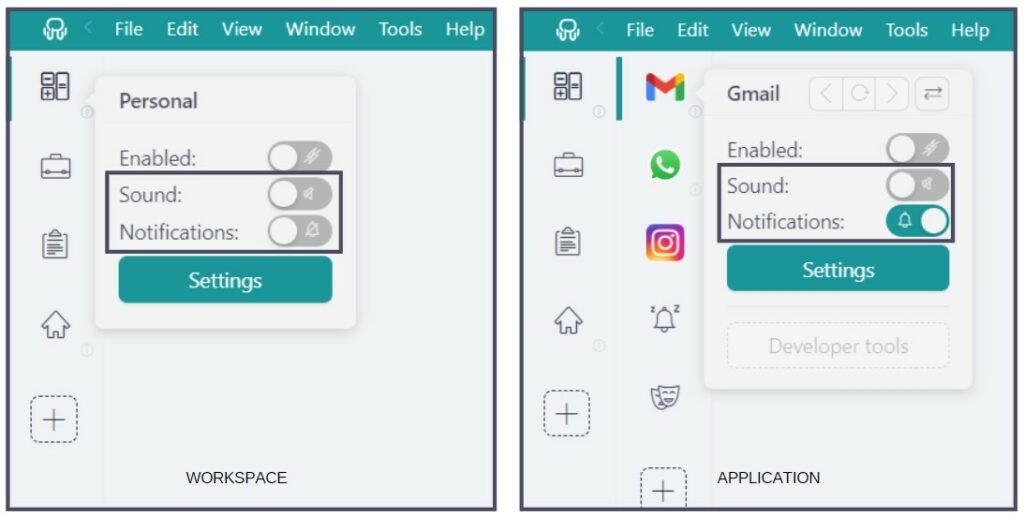
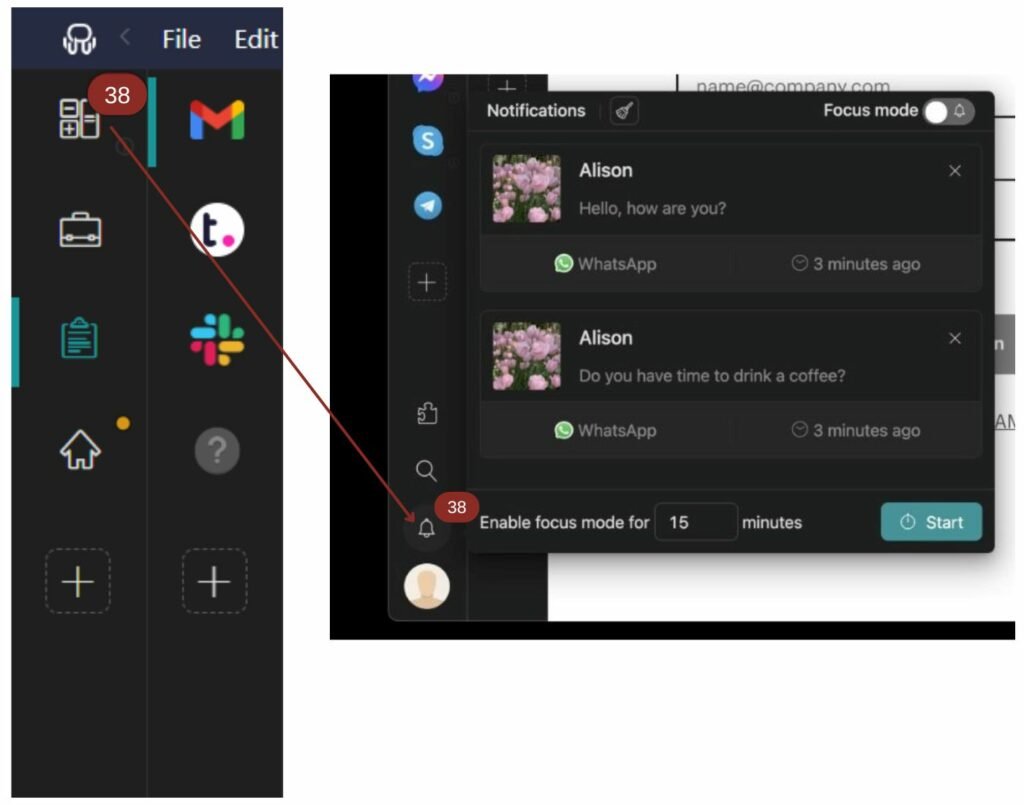
Plus, if you choose to turn off your notifications, the Notification Center serves as a centralized hub, ensuring that you never miss a critical message.
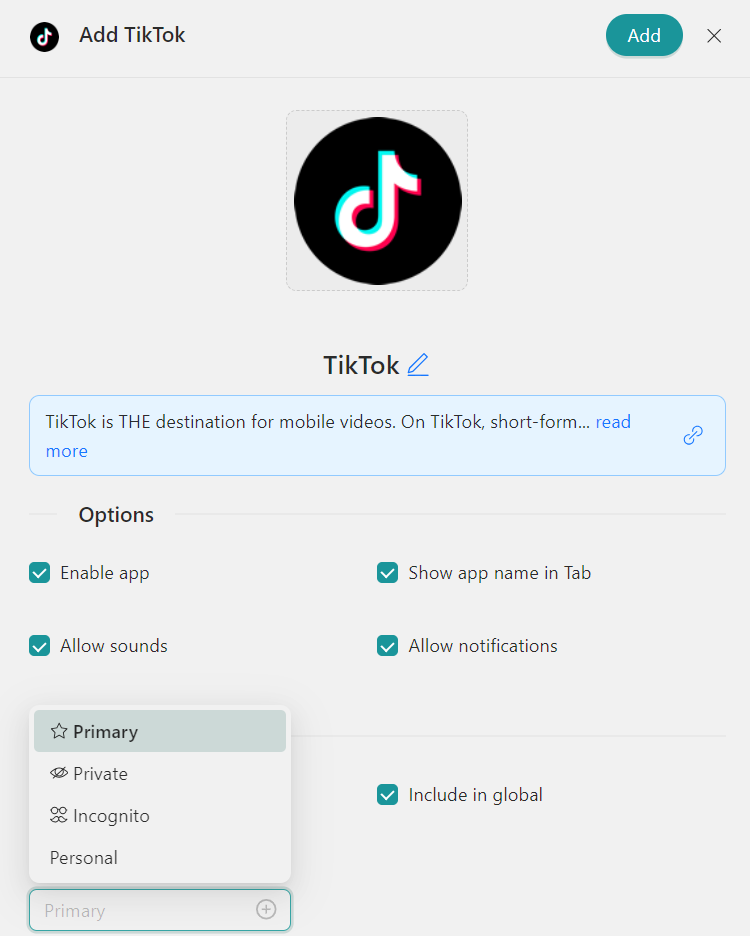
Each Profile in Unified Workspace functions as a dedicated session, providing organized management for, as an example, multiple TikTok accounts. Unified Workspace offers several key profiles tailored to different needs: “Primary” for default settings, “Inherit from Workspace” for nested items, “Private” for isolated sessions, “Incognito” for enhanced privacy without storing cookies, and “Custom Profiles” for personalized configurations.
How to add these apps on Unified Workspace?
Getting started with Unified Workspace to access these apps from your desktop is a breeze. Just follow these simple steps:
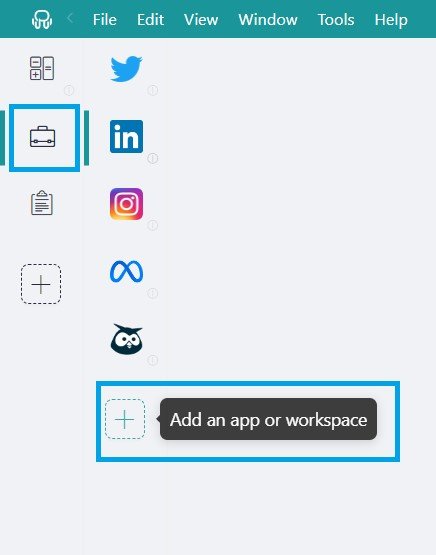
- Click on the “Add an app or workspace” button in your main tab or workspace.
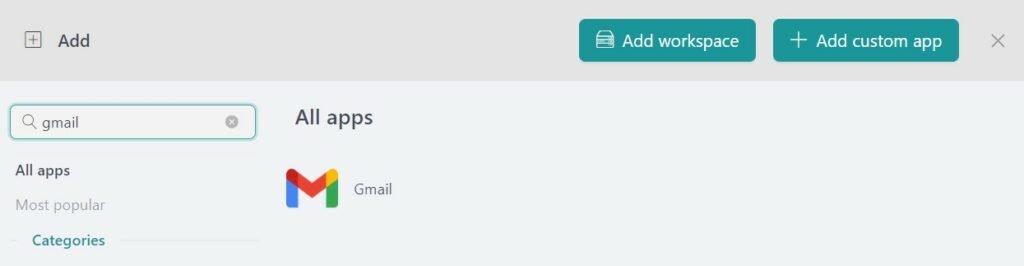
- Type the name of the app you want to add in the search panel at the left.
- Configure the application settings to your liking. Remember that you can choose which profile you want to use in the app (inherit from workspace, primary, private, incognito, or a custom profile).
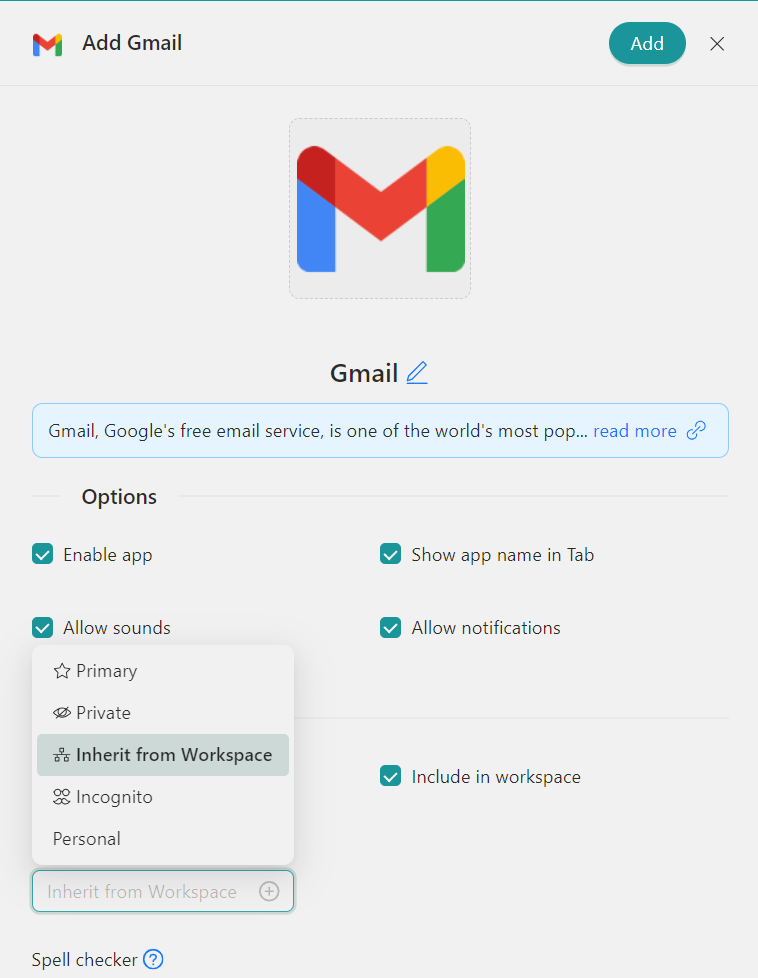
- Click on “+Add,” and that’s it! The app has been added to your Unified Workspace’s workspace!
If you are overwhelmed by the number of apps you have to manage, try Unified Workspace for free. All you have to do is download the program, configure it to your liking, and enjoy its functionalities. No cards, no cheating, it’s that simple!