


In today’s business world, data is everything. From tracking sales to measuring marketing success, analyzing data helps companies make smart decisions and grow. However, managing all the apps and information data analysts need can be a real challenge.
Data analysts face daily obstacles that can slow them down and make their jobs harder. But don’t worry—there’s a way to make things easier.
In this post, we’ll look at some common issues data analysts face and show you how to tackle them. Keep reading to discover how Unified Workspace can make your daily tasks smoother and more efficient.
Everyday challenges for data analysts
Data analysts play a key role in helping businesses make informed decisions. But their job comes with its own set of challenges. Here are some of the common hurdles they face:
- Juggling multiple tools: Data analysts often use a variety of applications for different tasks—spreadsheets for data, databases for storage, communication apps for teamwork, and visualization tools for reporting. Switching between these can be time-consuming and confusing.
- Managing constant communication: Analysts need to keep up with emails, messages, and updates from various sources. Balancing this flow of communication with the need to focus on deep analytical work can be tricky.
- Staying focused amid distractions: With so many notifications and interruptions, staying focused on detailed data analysis can be challenging. The sheer volume of information makes it easy to get sidetracked or overwhelmed.
- Ensuring data security: Handling sensitive data requires strong security measures. Keeping data safe while using multiple tools and platforms adds an extra layer of responsibility.
- Efficient time management: Analysts often work on multiple projects with tight deadlines. Managing time effectively and prioritizing tasks without getting bogged down in repetitive work is crucial for meeting goals.
Why is Unified Workspace the perfect solution for these professionals?
So, how can you tackle these everyday challenges and make your workday smoother? The answer is Unified Workspace.
Unified Workspace is a workspace tool that combines all your essential apps into one place, making it easier to manage everything you need. With features designed to simplify your tasks and boost productivity, Unified Workspace is here to make your job as a data analyst much more manageable.

Keep reading to see why Unified Workspace is the perfect solution for making your day-to-day tasks easier.
Unified platform for all essential tools
Forget constantly opening and closing different tabs, browsers, or desktop applications. With Unified Workspace, everything becomes much simpler: all your essential tools are in one place. Unified Workspace is fully customizable, allowing you to group apps by category, project, or whatever best suits your workflow. For example, you can create one workspace for all your data analysis apps and another for your communication tools.
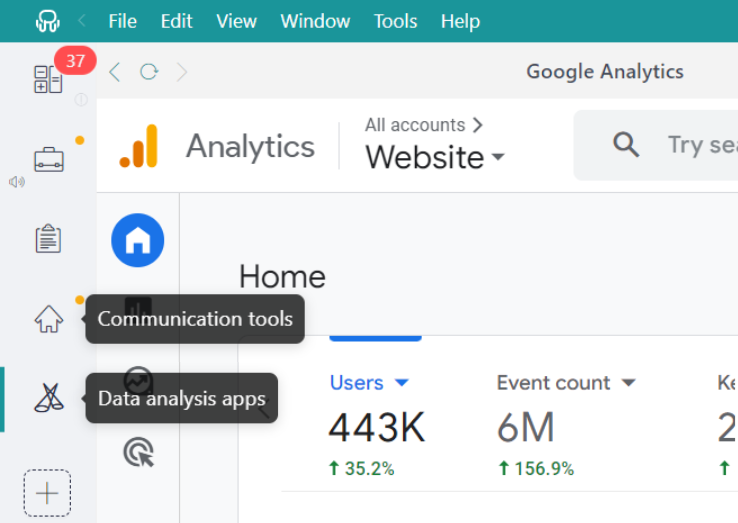
You can integrate over 700 default apps into your workspace, bringing everything you need into a single interface. And suppose your favorite app isn’t on the list, no worries. In that case, Unified Workspace lets you add it manually as a “Custom App,” giving you the flexibility to create a workspace perfectly tailored to your needs.
Simplify data comparison and report generation with Tile Views
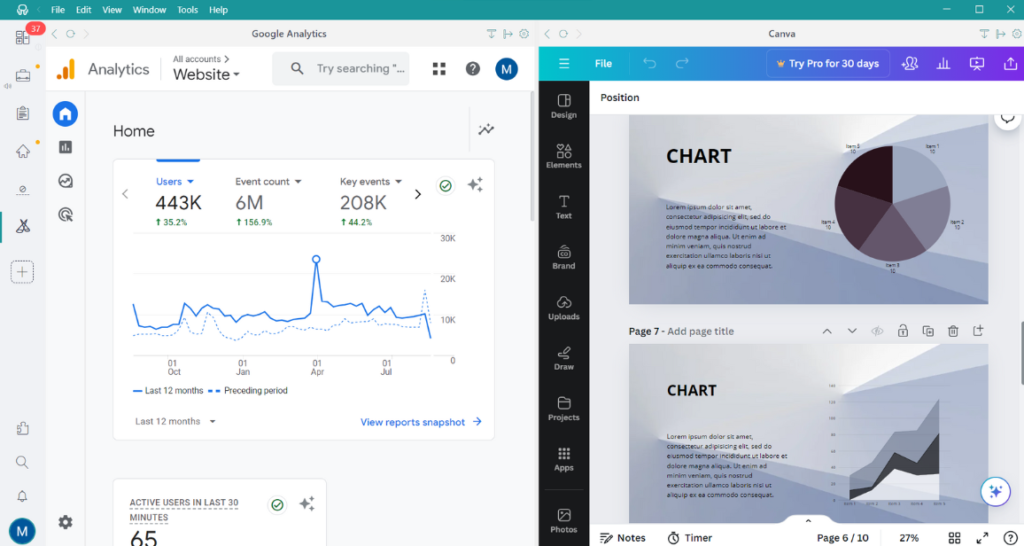
One of Unified Workspace’s standout features is the ability to choose the view mode for each workspace and its apps. This customization option lets you set up your workspaces in full-screen or tiled views. Whether you prefer a horizontal or vertical arrangement, this functionality ensures you have a clear view of everything you need at a glance.
This is especially useful when generating reports. Imagine working on a Canva presentation while monitoring Google Analytics data without constantly switching between tabs. Tile Views make managing and comparing data easy, making your reporting process much more efficient.
Tailored notifications for better workflow
As a data analyst, managing notifications effectively is key to staying productive. Unified Workspace makes this simple by letting you customize how you receive alerts. Just right-click on your workspaces or apps to choose your notification settings. You can go for sound alerts to catch important updates, switch to silent mode to reduce distractions, or even turn off notifications entirely if they’re unnecessary.
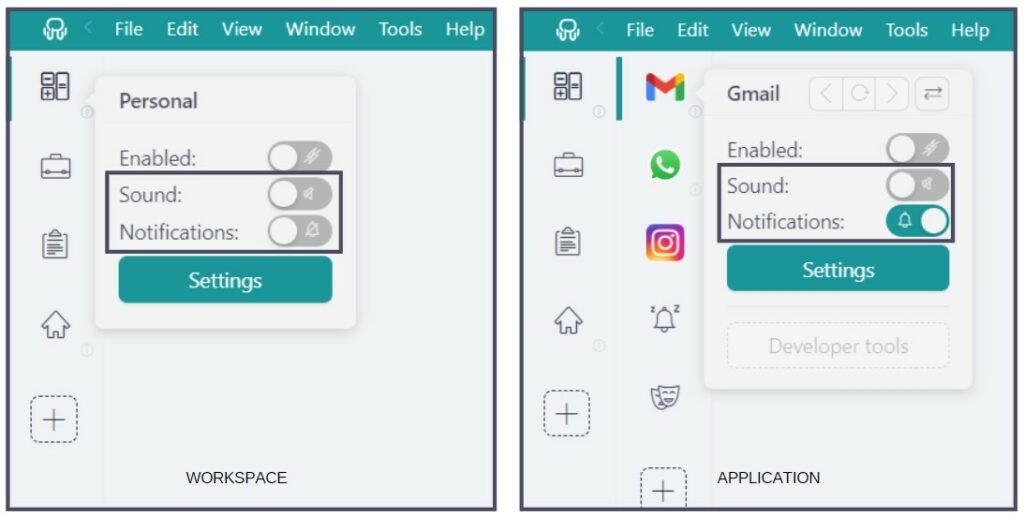
If you mute notifications, don’t worry about missing crucial messages. Unified Workspace’s Notification Center keeps track of all your important messages and highlights any unread ones so nothing gets overlooked.
Productivity boost with Focus Mode
Here’s a game-changer for staying productive: Focus Mode. Think of it as your digital “Do Not Disturb” sign. Turning on Focus Mode pauses notifications and sounds, helping you create a calm and distraction-free work environment.
For example, imagine you’re working on a detailed data report and must dive deep into your analysis. With Focus Mode activated, you can block out all interruptions—emails, chat messages, and app notifications—so you can concentrate fully on your work. You can keep Focus Mode active indefinitely or choose specific times when you need uninterrupted work time.
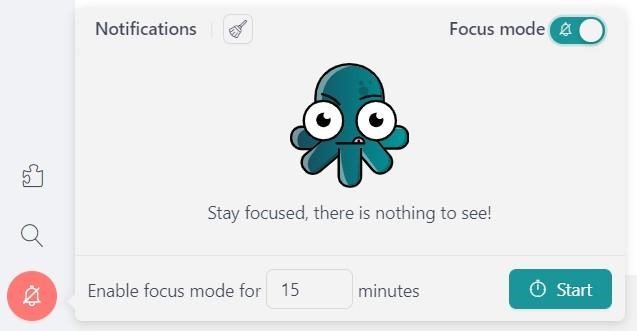
Don’t stress about missing important messages while Focus Mode is active. Once you’re done and turn off Focus Mode, they’ll be saved in your Notification Center and ready for you to catch up on.
Speed and efficiency with Shortcuts
Unified Workspace’s Keyboard Shortcuts are designed to make your workday as efficient as possible. With these handy shortcuts, you can perform tasks in a flash, helping you stay focused and save time.
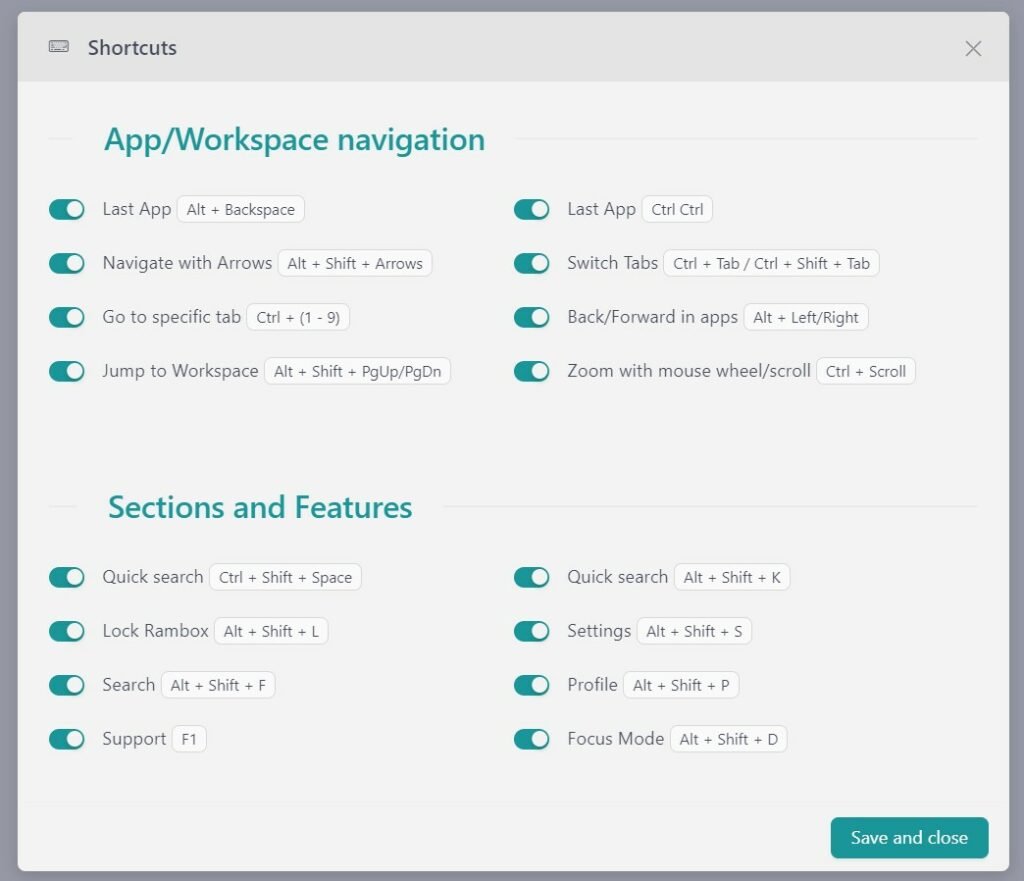
Imagine you’re working on a detailed data analysis while handling messages and project updates. Instead of manually clicking through different apps and tools, you can use “CTRL CTRL” to jump to the last app you were using and switch back and forth quickly.
Looking for a specific report in a sea of files? Use “ALT + SHIFT + K” to find it in seconds with Quick Search.
Now that you know how Unified Workspace can address many of your daily challenges as a data analyst, it’s time to experience the benefits yourself!
You can try Unified Workspace for free—just sign up, download the app, and start enjoying a more streamlined and productive workday!