


If you’re a Unified Workspace enthusiast or just getting started, you’re in for a treat. In this journey, we’ll cover the basics and unveil some hidden gems that could completely transform your Unified Workspace experience.
Unified Workspace, at its core, is a powerful tool designed to simplify your digital life. Whether you’re a multitasking maestro or just trying to streamline your communication, Unified Workspace has your back.
So, fasten your seatbelt as we dive into the essentials and uncover the lesser-known features that could be the game-changer you never knew you needed. Get ready to unlock Unified Workspace’s full potential and elevate your online productivity!
Unified Workspace Basics
Unified Workspace is your ultimate workspace simplifier, offering a consolidated hub for all your applications. If you’re already a Unified Workspace user, you’re familiar with our standout features. For those new to the experience, here’s a quick overview:
Customizable Workspaces
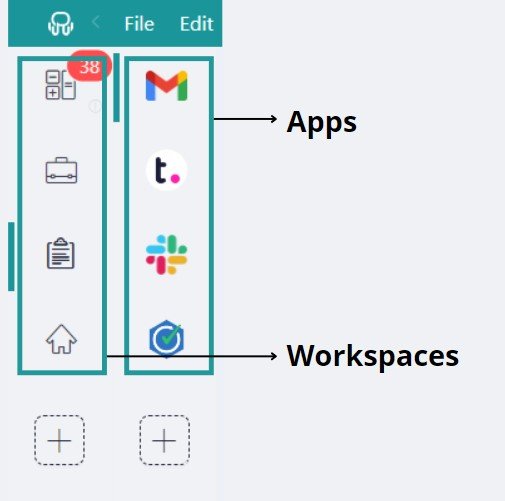
Easily create your ideal digital setup with Unified Workspace’s Customizable Workspaces. It’s like picking apps from a candy store – choose from hundreds to make your space uniquely yours. Keep things tidy by grouping your apps into neat workspaces, bringing order to your digital chaos. Want a clean, full-screen look or a trendy tile mode? No problem! Unified Workspace lets you play designer with pre-set layouts, so you can showcase all your favorite apps in a way that suits your style and needs.
Notifications Management
Customize each application’s alerts until they’re pixel-perfect for your preferences. Decide if you want desktop notifications, sound alerts, or both for every app and workspace.
Stay on top of everything by visiting the Notification Center – Unified Workspace records all your notifications. It’s your go-to place to stay up-to-date and swiftly navigate to the app that needs your attention.
No more missing out! Unified Workspace visually reminds you of unread messages or emails in each application with its unread counters, making it easy to prioritize and decide where your attention is needed. It’s the ultimate tool to stay in the loop without feelingoverwhelmed.
Focus Mode
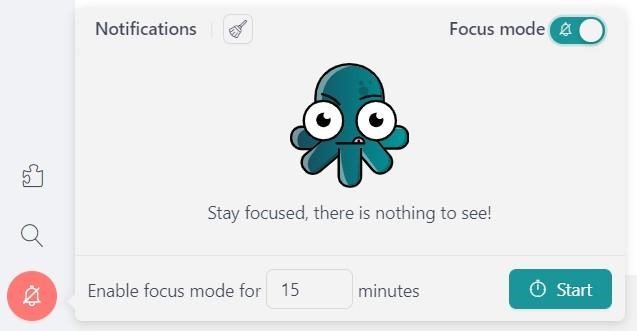
Need a moment of serene concentration? Welcome to Focus Mode – it’s like putting your notifications on silent mode for as long as you require. Consider it your superpower for creating a distraction-free bubble, allowing you to dive deep into your work and deliver top-notch results without interruptions. It’s your secret weapon for achieving peak productivity and maintaining focus when it matters most.
Extensions
Unified Workspace introduces a lineup of Google Chrome extensions, including password management tools, translation services like Google Translate, and grammar checkers like Grammarly. These extensions seamlessly integrate into your workflow, providing comprehensive tools to enhance productivity. Additionally, Unified Workspace’s native “Spell Checker” feature ensures error-free communication across applications.
Themes
Personalize your Unified Workspace experience with Themes – the perfect way to tailor Unified Workspace’s look and feel to match your preferences and work environment. Explore a range of themes, including Light, Dark, Slate, and Glossy, to find the visual style that suits you best. It’s an effortless way to make Unified Workspace uniquely yours, ensuring your workspace reflects your personal taste and enhances your overall user experience.
Quick Search
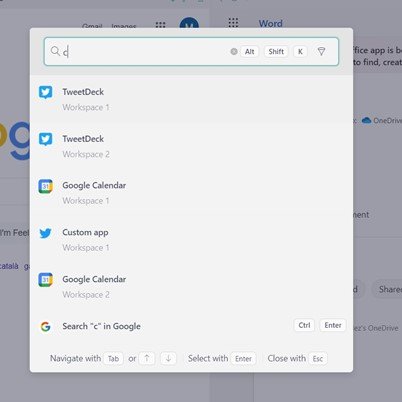
Quick Search is seamlessly integrated into your workflow, accessible through the main menu or a keyboard shortcut (Alt+Shift+K for Windows & Linux, Cmd+Alt+K for macOS). This ensures you can rapidly switch between tasks and applications, fostering an efficient workflow tailored to the fast-paced freelance environment. Beyond locating applications, Quick Search extends its prowess to encompass files and conversations.
Unified Workspace features you may not know
Now that we’ve covered the excellent basics of Unified Workspace in the last section, let’s dig a bit deeper! Get ready to uncover those secret features that can really make Unified Workspace shine. They’re like the hidden treasures waiting to take your Unified Workspace experience to a new level. These features fine-tune your digital space, making it uniquely yours and supercharged for whatever you need.
Session management
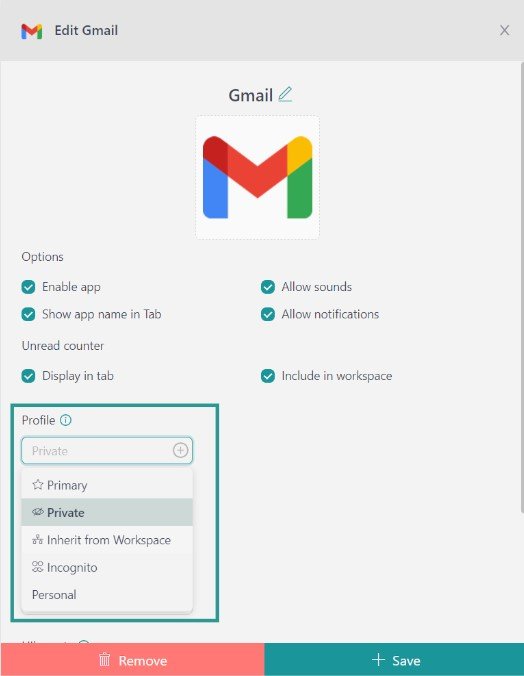
Unified Workspace redefines organization with its intuitive Session Management feature. Each Unified Workspace Profile is a dedicated session – think of it as creating a personalized workspace key for each project. Set up a workspace for “Project A” with its unique profile, where you can conveniently store all necessary login details and extensions specific to that project’s tasks. The same goes for “Project B” or any other projects on your plate.
The beauty of Unified Workspace Profiles is in their versatility. Log in once and effortlessly access multiple accounts within the same service – it’s like having different keys for various doors, all conveniently on one keyring. Unified Workspace offers five key profiles to cater to different needs: “Primary,” the default; “Inherit from Workspace,” crafted exclusively for nested items; “Private,” providing an isolated session; “Incognito,” which doesn’t store cookies information, and “Custom Profiles.” Customize your profiles seamlessly by clicking the “+” sign, adding a layer of flexibility to your Unified Workspace experience.
Proxies
Unlock the full potential of your Unified Workspace apps with Proxies, transcending borders and effortlessly navigating challenges like region-based restrictions. Whether you’re a global professional or dealing with local content limitations, Unified Workspace emerges as your ultimate ally with its Proxies feature.
Picture this: You need access to a specific app or website, but your location poses a hurdle. Unified Workspace steps in as your hero, equipping you with the tools to seamlessly overcome geographical barriers. Moreover, if you operate within a VPN and require a proxy for certain apps, Unified Workspace has you covered.
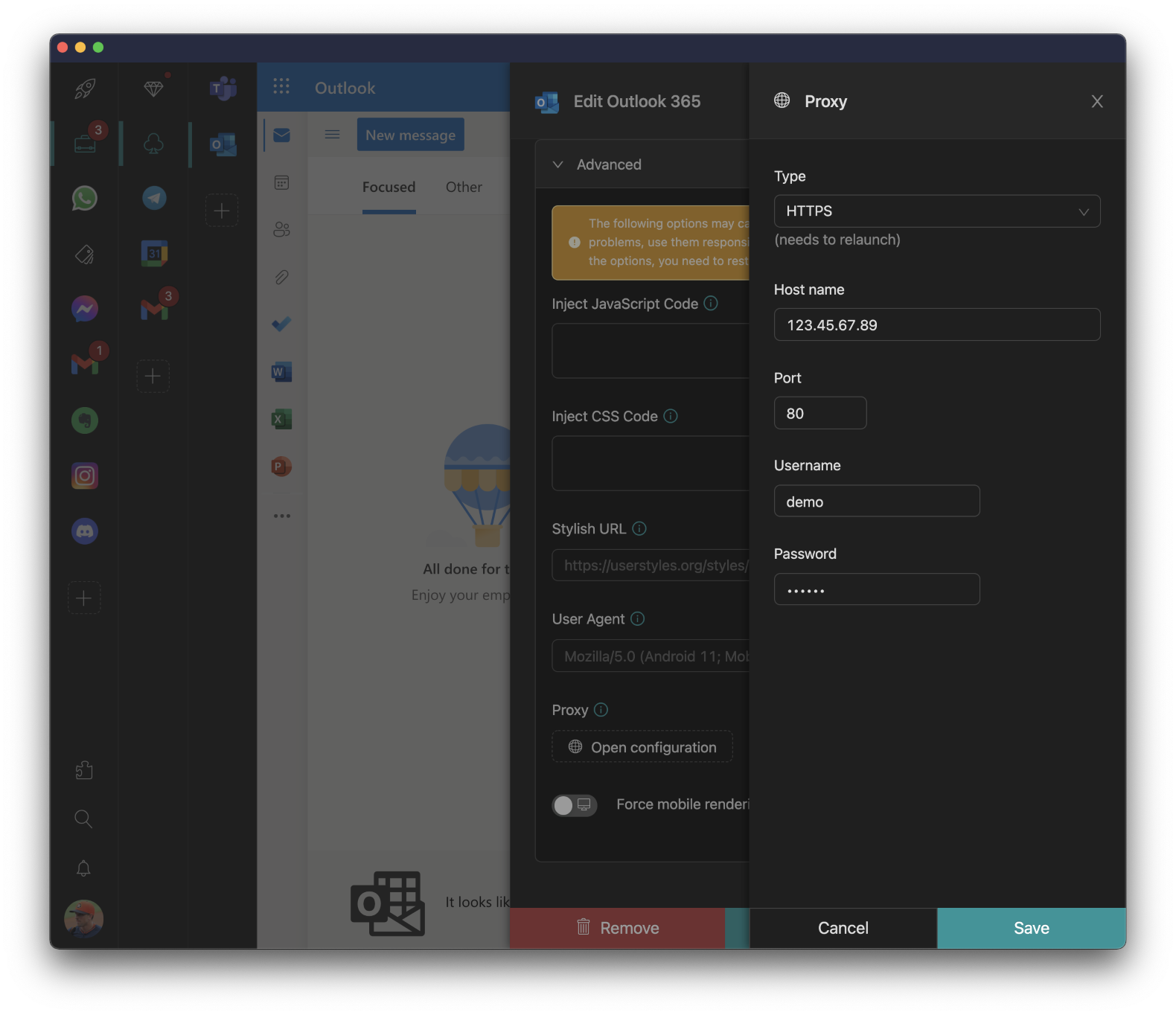
Unified Workspace’s compatibility with HTTP, HTTPS, Socks4, and Socks5 proxies ensures flexibility. You can configure a general proxy for all apps or set up individual proxies for each app. It’s the freedom to navigate and connect, no matter where you are or what restrictions you face.
Lock app
Imagine working on the go, at a cool co-working space, or just sharing a computer in the office. Now, the last thing you need is someone peeking into your workspaces without an invite. That’s where Unified Workspace’s “Lock app” feature steps in – your personal bouncer for an added layer of security.
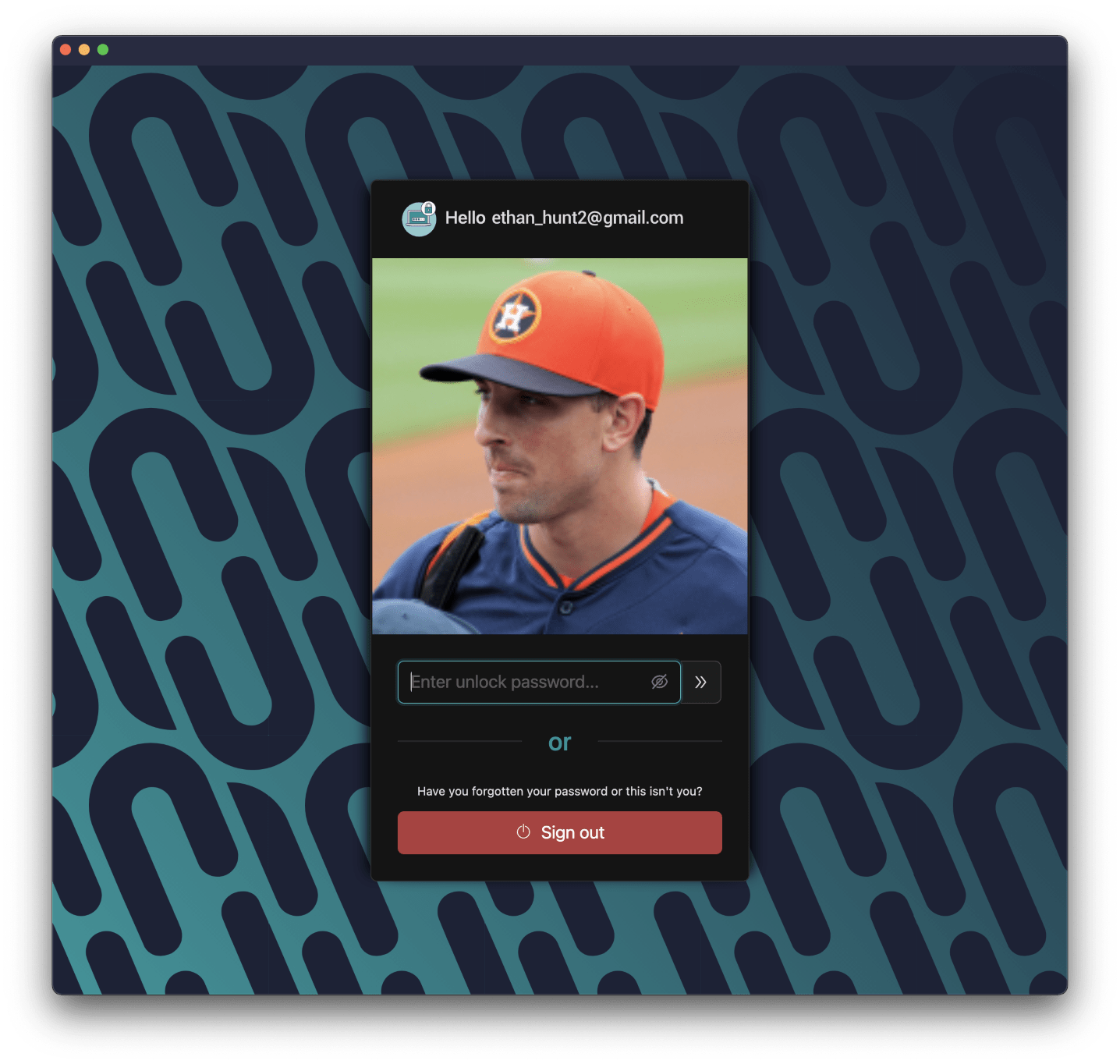
- Master Password Protection: Unified Workspace lets you play the superhero with a master password. When you start the app or lock it manually, Unified Workspace asks for that secret code. It’s like having your work in a vault – private and confidential, how you want it.
- Yubikey: Worried about that master password? Unified Workspace’s got your back with YubiKey. It’s like having a digital superhero key, ensuring only you get instant and secure access to your Unified Workspace session. Your work fortress just leveled up!
JavaScript & CSS injection
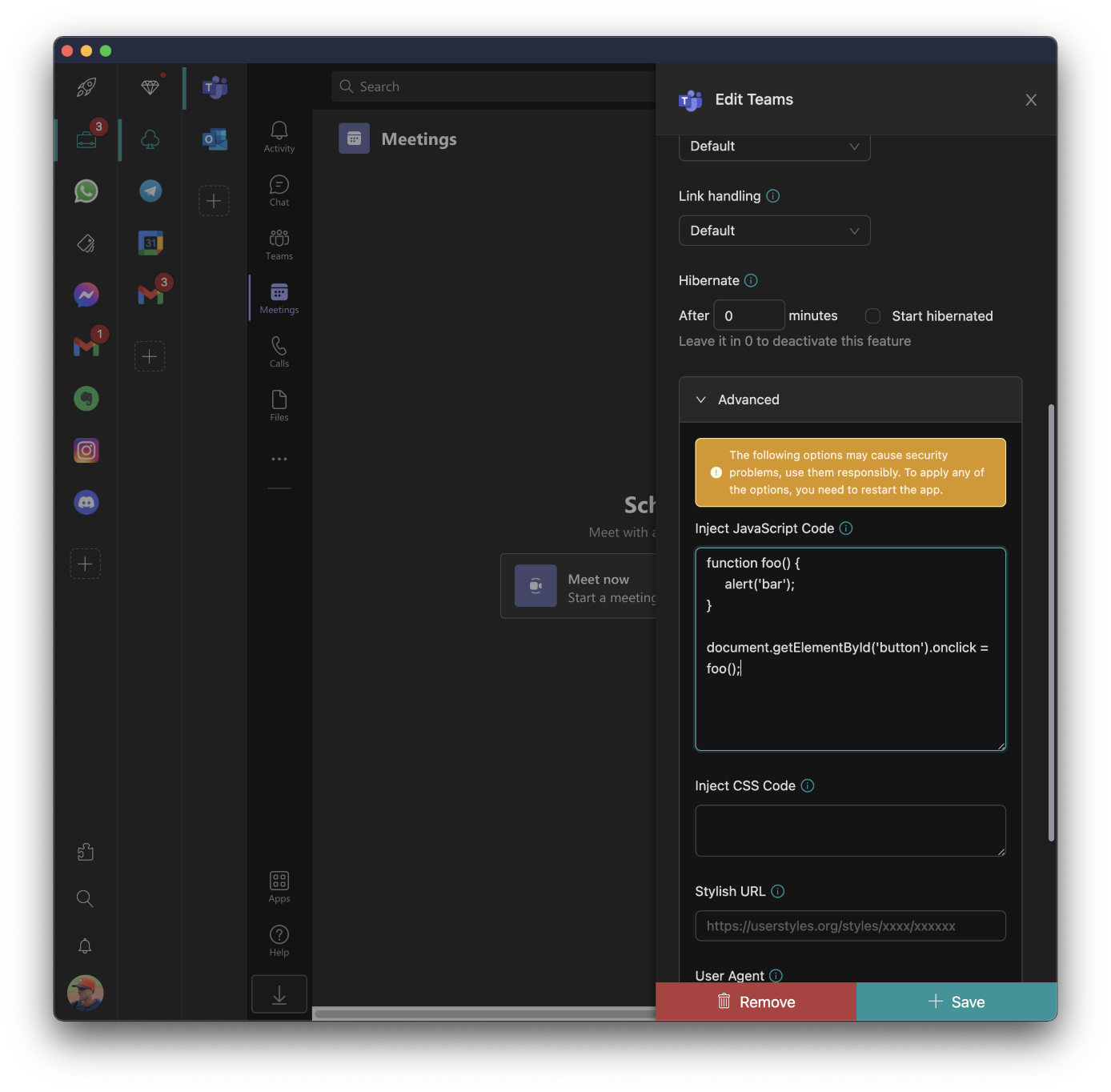
Automation becomes your trusty sidekick, transforming how your apps behave. Whether injecting JavaScript for enhanced functionalities or tweaking default actions, Unified Workspace liberates you from repetitive tasks, paving the way for a more streamlined workflow that suits your individual style.
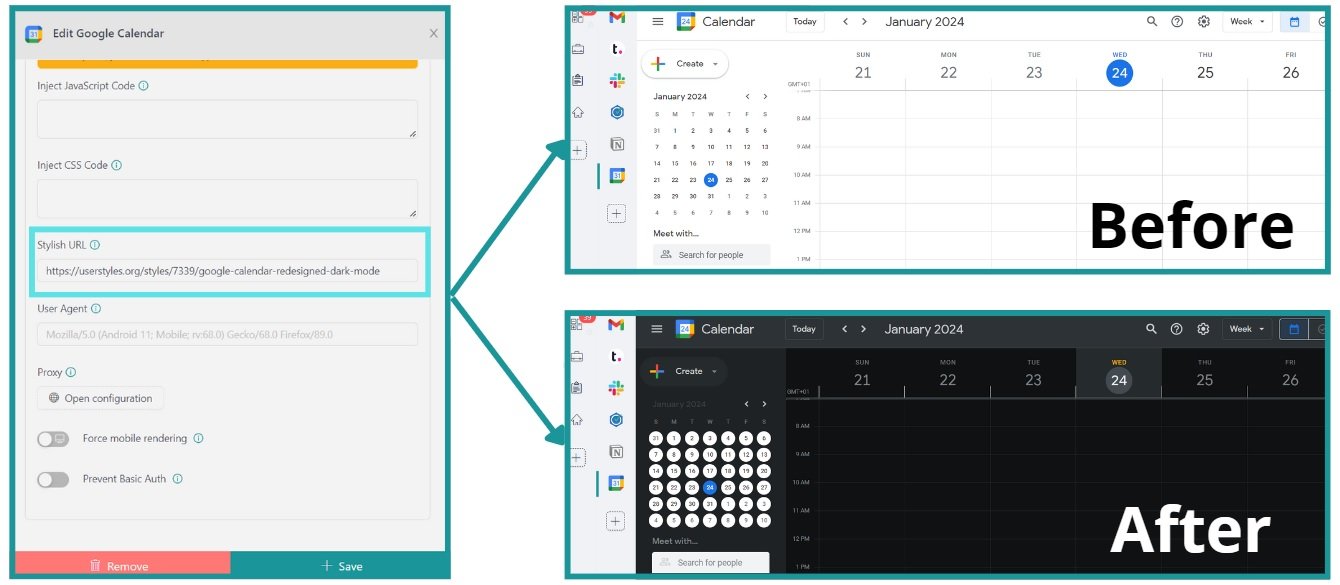
But the customization doesn’t stop there. Unified Workspace empowers you to effortlessly revamp the layout of your applications, making your workspace uniquely yours. Whether you’re a hands-on expert or prefer the simplicity of a Stylish service, Unified Workspace provides the flexibility you crave. Additionally, themes can be included for each application using a Stylish service, allowing you to manually change the look and feel of the layout and elements, giving your applications a fresh new appearance.
To give your app a cool new look with a Stylish theme, just follow these simple steps:
- Head over to the Stylish website and find the theme you like.
- Copy the theme’s URL.
- Open your app settings and paste the URL into the Stylish URL field.
- Hit Save, and Unified Workspace will prompt you to reload the app to apply the theme.
- Now, enjoy your stylish new app!
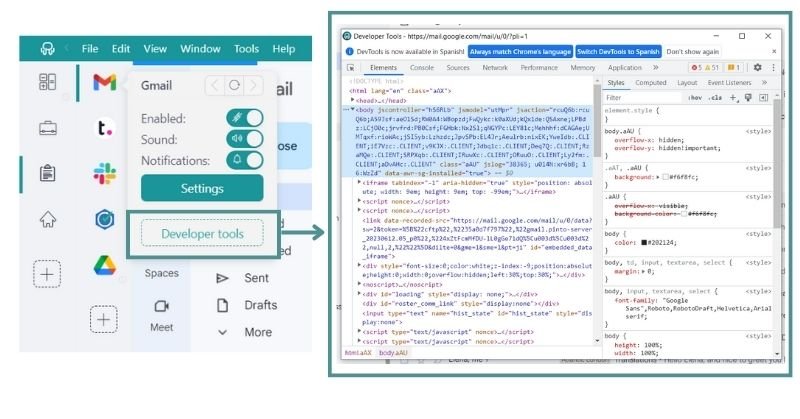
And here’s the kicker – Unified Workspace lets you inject code and open “developer tools.” This will enable you to inspect your applications and monitor the injected code, giving you the control to adjust it as needed. Accessing this functionality is a breeze – right-click on the application icon you want to monitor and click on “developer tools.”
Mobile view for apps
Ever wish your desktop apps could be as sleek as their mobile counterparts? With Unified Workspace’s Mobile View for Apps feature, you can experience applications with the same interface you love on your mobile devices.
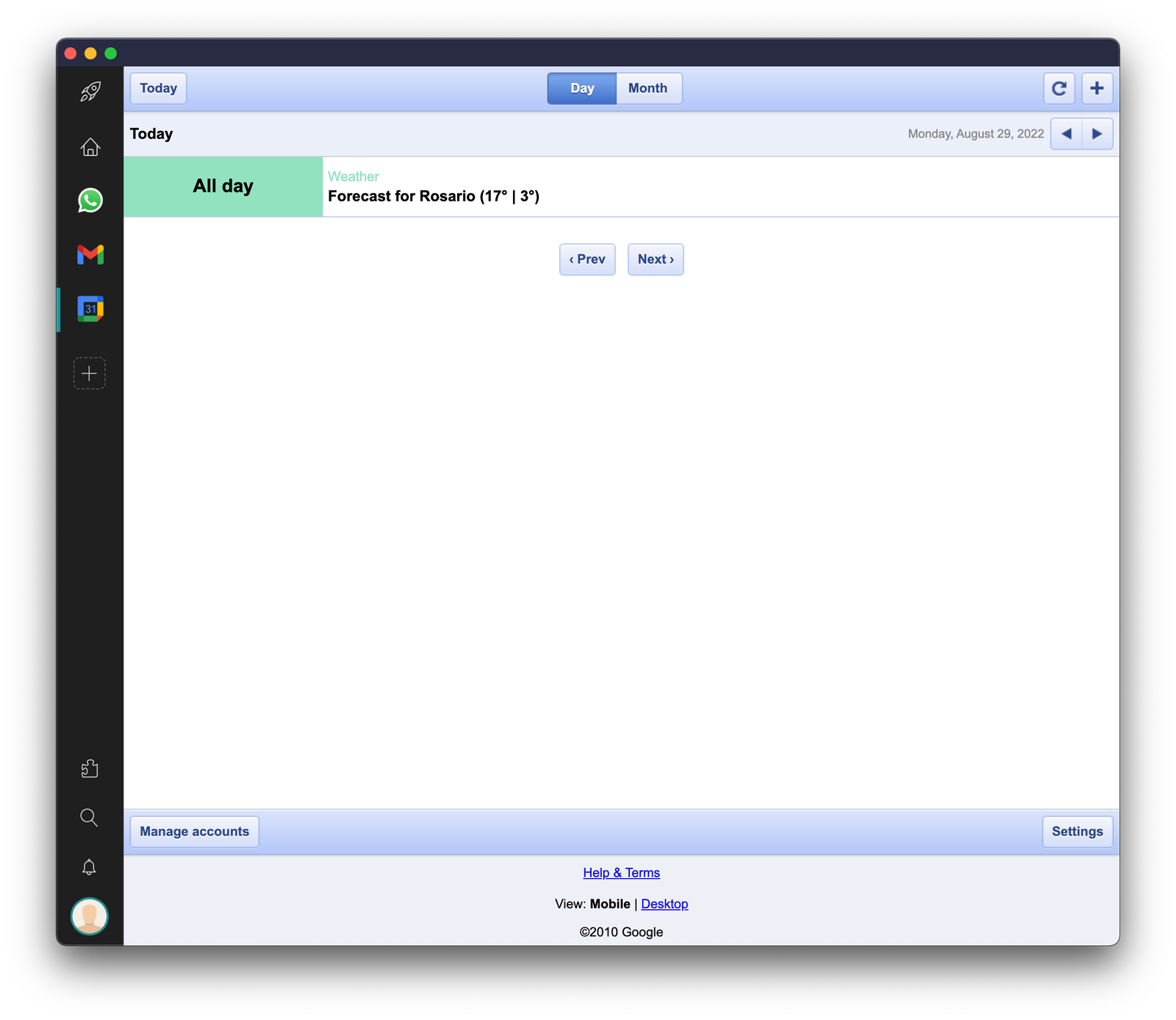
Whether you prefer the full browser view or the streamlined mobile look, the choice is yours. This feature comes in handy when mobile app interfaces emphasize specific functions. Designed with mobile devices in mind, these interfaces offer a more detailed and minimalist view, allowing you to choose the experience that suits your preferences. It’s like having the best of both worlds – the convenience of desktop access and familiarity with a mobile-friendly interface.
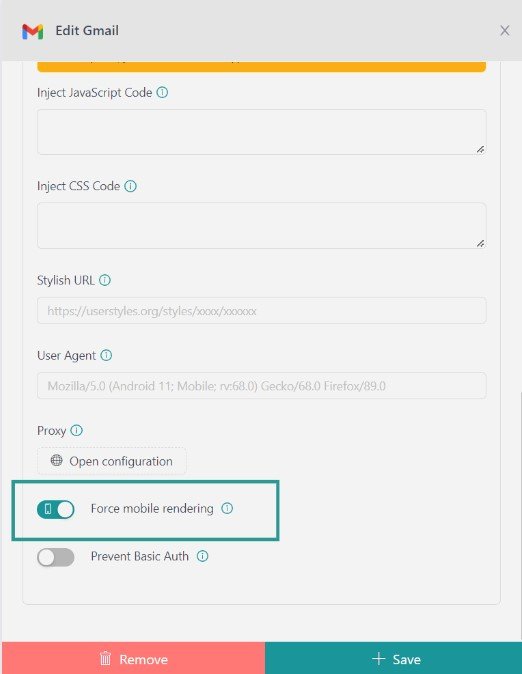
To configure this mode, right-click on the application and select “Settings. ” Then, scroll down to the “Advanced” tab and activate the Mobile view.
Custom User Agent
A User Agent is like your online calling card, telling websites what browser and operating system you use. With a Custom User Agent, you can change this virtual ID, making apps see you just how you want.
Why does it matter? With Unified Workspace’s Custom User Agent, you can switch up this virtual ID for every app. Why does it rock? Because it lets you customize the behavior or content based on specific browser versions.
Did you know about these cool Unified Workspace features? If not, get ready to simplify and supercharge your digital life! By using these fabulous tools, your everyday tasks will become a breeze, making you more productive than ever.
Here’s a friendly tip: if you’re not already a Unified Workspace user, go ahead and download the app, configure it to your liking, and start enjoying all the fantastic perks it offers. Your digital world is about to improve – give Unified Workspace a spin today!